
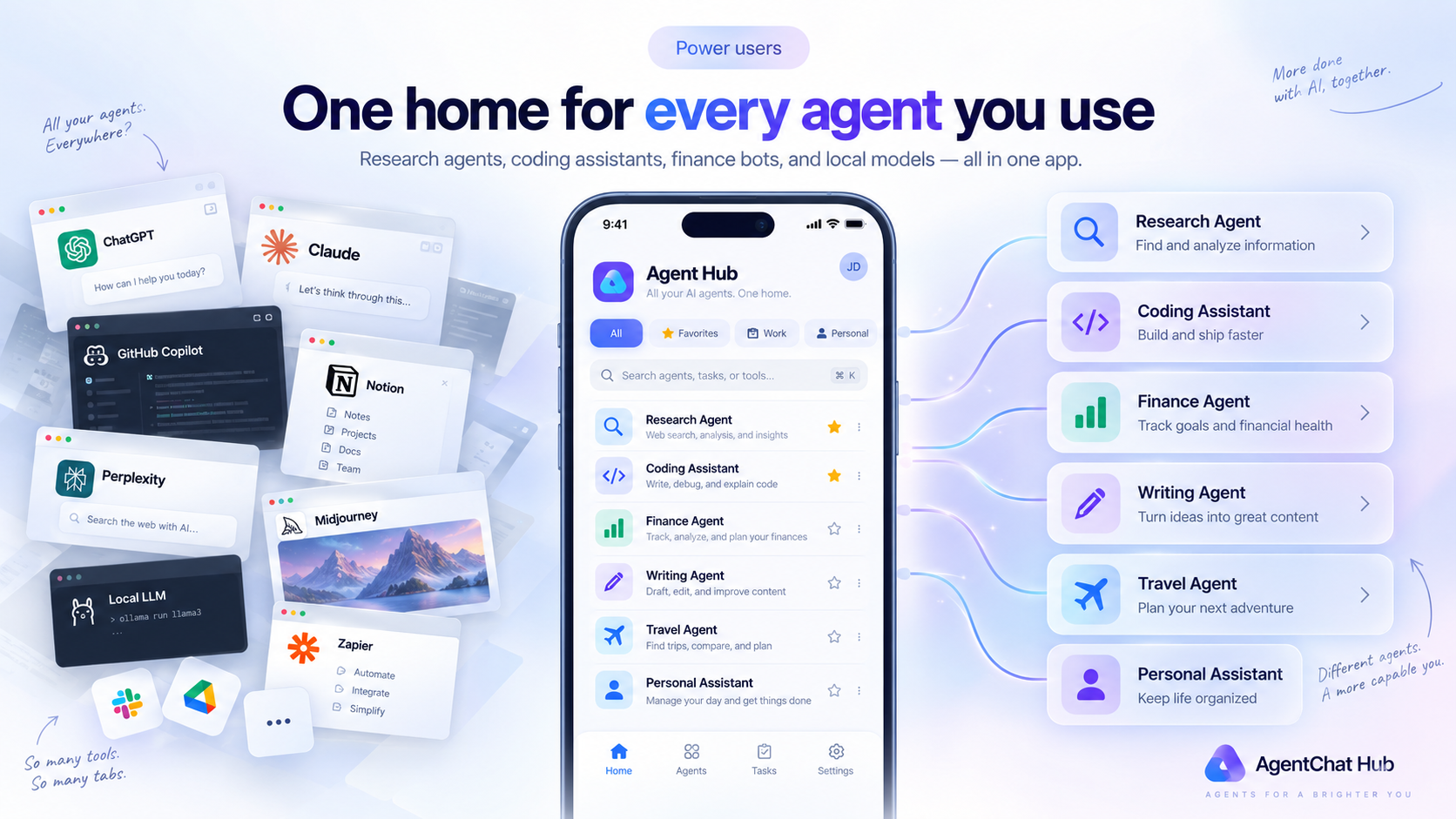
Agents are starting to look like apps did in 2008 — there's one for everything. A research agent here, a coding agent there, a finance tracker somewhere else. The problem: every one of them comes with its own interface, its own quirks, its own tab to keep open.
AgentChat Hub is built on a simple idea: if agents speak a common protocol, they should share one great interface. Add every agent you use — hosted A2A agents, cloud models with your API key, local models — and switch between them like conversations, not apps.
What one home gets you
- Every agent in one list, on Mac, iPhone, and iPad
- Conversation history kept per agent, stored on your device
- File attachments for agents that accept them — photos and documents, sent straight to the agent
- Group agents into workspaces so work projects and personal experiments stay separate
A day with everything in one place
Morning: ask your research agent to summarize overnight developments while you check a code-review agent's output on yesterday's PRs. Afternoon: fire a quick question at a local model running on your home machine. Evening: plan the weekend with a travel agent someone published.
None of that required opening four websites or remembering four logins — there are no logins. Agents are endpoints; AgentChat Hub is where you talk to them.
Free, and staying that way
AgentChat Hub is free to download, with no subscription and no in-app purchases. Bring as many agents as you like — the app is the interface, and the interface shouldn't be the bottleneck.
Try it yourself
The interface your agent was missing.
Free on the App Store. No account, no tracking — your conversations stay on your device.